
A bank branch that once needed counters, forms, tokens and waiting chairs now sits quietly inside a mobile phone. With a few taps, a customer can check balance, transfer money, pay bills, open fixed deposits, block a card, download statements, apply for loans and manage daily payments without standing in a queue. This is the power of mobile banking.
In India, mobile banking has become closely linked with daily financial life. UPI payments, app-based banking, mobile alerts, QR payments, digital deposits and instant fund transfers have made banking faster and more accessible. The Reserve Bank of India’s mobile banking guidelines emphasize that mobile banking technology must be secure and should ensure confidentiality, integrity, authenticity and non-repudiability.
However, mobile banking also brings risks. A wrong tap, fake link, weak password, lost phone or scam call can create serious financial trouble. So, mobile banking is useful only when convenience is balanced with caution.
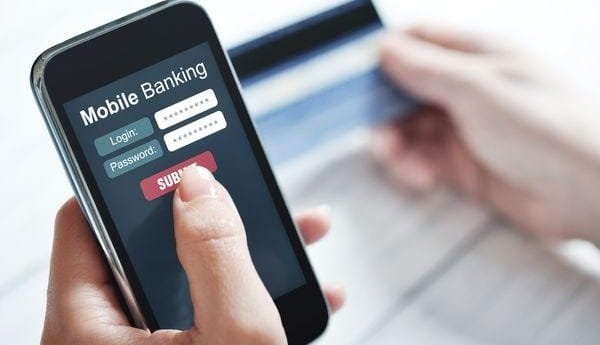
What is Mobile Banking?
Mobile banking means using banking services through a mobile phone. It may be done through a bank’s official mobile app, SMS banking, USSD service, or mobile browser.
Through mobile banking, customers can access their bank account without visiting a branch. They can send money, receive money, check balance, view mini statements, pay bills, recharge mobiles, open deposits, manage cards, and raise service requests.
It is different from traditional branch banking because the customer controls many services directly from the phone.
Main Features of Mobile Banking
1. Anytime Banking
Mobile banking is available beyond branch hours. Customers can use many services at night, on holidays, and while travelling.
2. Instant Fund Transfer
Users can transfer money through UPI, IMPS, NEFT or bank app-based transfer facilities.
3. Account Monitoring
Customers can check balance, statement, transaction history and account activity easily.
4. Card Control
Many bank apps allow customers to block cards, set limits, enable or disable online transactions and manage international usage.
5. Bill Payments
Electricity bills, mobile recharge, insurance premiums, credit card bills and loan EMIs can be paid through mobile banking.
Advantages of Mobile Banking
1. Saves Time
Mobile banking removes the need to visit a branch for small tasks. Balance checking, fund transfer, bill payment and statement download can be done within minutes.
2. Easy Access to Banking
It helps customers access banking services from home, office, shop, college, or while travelling. This is especially useful for busy professionals and people living far from branches.
3. Supports Digital Payments
Mobile banking has made cashless payments easier. Customers can pay merchants, send money to family, and manage everyday expenses digitally.
4. Better Control Over Account
Users can track transactions quickly. SMS and app alerts help identify suspicious activity at an early stage.
5. Useful During Emergencies
If money needs to be transferred urgently, mobile banking can help. It is useful during medical emergencies, travel problems, late payments or sudden financial needs.
6. Reduces Paperwork
Many services such as FD opening, statement download, cheque book request, card blocking and complaint registration can be done digitally.
7. Helps Financial Inclusion
Mobile banking helps people access banking even where branches are far away. RBI guidelines also mention that banks should create awareness and support registration or activation of mobile banking through different channels.
Disadvantages of Mobile Banking
1. Cyber Fraud Risk
Mobile banking users can be targeted through phishing links, fake customer care numbers, screen-sharing scams, OTP fraud, malware apps and fake banking apps.
2. Internet and Phone Dependency
If the phone is lost, battery is dead, network is poor, or internet is not working, mobile banking becomes difficult.
3. Technical Failures
Sometimes transactions fail due to bank server issues, app errors, UPI downtime or network problems. Money may be debited and refunded later, causing stress.
4. Not Easy for Everyone
Senior citizens, rural customers and people with low digital literacy may find mobile banking confusing. Mistakes can happen if the app is not understood properly.
5. Privacy Concerns
Mobile banking apps contain sensitive financial information. If the phone is shared, unlocked, hacked or infected with malware, privacy may be at risk.
6. Limited Stop-Payment Control
RBI’s mobile banking guidance notes that mobile transactions are often instantaneous, so stop-payment privileges may be limited or unavailable once the transaction is completed.
7. Risk of Overspending
Because payments are easy, users may spend casually on shopping, subscriptions, food delivery and small transfers without noticing the total monthly expense.
Mobile Banking Safety Tips
Use only the official bank app from trusted app stores. Keep your phone locked with PIN, fingerprint or face unlock. Never share OTP, MPIN, UPI PIN, CVV, card PIN, net banking password or app password.
Do not click unknown links sent through SMS, WhatsApp or email. Avoid screen-sharing apps while using banking apps. Update your mobile banking app regularly. If your phone is lost, immediately contact your bank and block mobile banking access if needed.
Mobile Banking vs Internet Banking
Mobile banking is mainly app-based and designed for quick use on smartphones. Internet banking is mostly browser-based and may be better for detailed tasks such as downloading long statements, managing multiple accounts, or business banking.
For daily use, mobile banking is faster. For bigger or more detailed banking work, internet banking may still be useful.
Conclusion
Mobile banking has made banking faster, easier and more personal. It saves time, supports digital payments, gives instant account access, and helps customers manage money from almost anywhere.
Its advantages include convenience, emergency support, digital control, reduced paperwork and better transaction tracking. But its disadvantages include cyber fraud risk, technical failure, privacy concerns, phone dependency and difficulty for less tech-friendly users.
In simple words, mobile banking is like carrying a bank in your pocket, but that pocket must be protected carefully.
FAQs on Mobile Banking
Q: What should I do if my mobile banking transaction fails but money is debited?
A: Wait for the bank’s automatic reversal period. If the refund does not come, raise a complaint through the bank app, customer care or branch.
Q: Is mobile banking safe on public Wi-Fi?
A: It is better to avoid public Wi-Fi for banking. Use mobile data or a trusted private network.
Q: Can someone access my mobile banking if they know my mobile number?
A: No, mobile number alone is not enough. But fraudsters may trick users into sharing OTP, PIN or passwords, so never share confidential details.
Q: What should I do if my phone is stolen?
A: Block your SIM, inform your bank, change passwords, disable UPI or mobile banking access if needed, and monitor transactions.
Q: Is mobile banking better than visiting a branch?
A: For daily tasks, yes. For complex issues like loan disputes, KYC correction, locker services or large cash work, branch visits may still be needed.
Q: Can senior citizens use mobile banking safely?
A: Yes, but they should start with basic services, use official apps only, avoid unknown links, and take help only from trusted family members or bank staff.